


JrTrack ProWiki
Shop JrTrack Pro

What is JrTrack?

A standalone smartwatch, built around a contact list you control

In shortJrTrack has its own phone number and its own cellular connection. Your child does not need a phone. You do, for the Cosmo app, which is where everything is managed.

It works at the bus stop, on the field, and three towns over without touching your phone's plan or your home Wi-Fi. Calls and texts come from the people you have approved, and nobody else. Location is live in the app whenever you want it.

Two halves make the product. The watch on their wrist handles calling, texting, location, and a curated set of apps. The Cosmo app on your phone handles who can reach them, where they are, what the school day looks like, and every message.

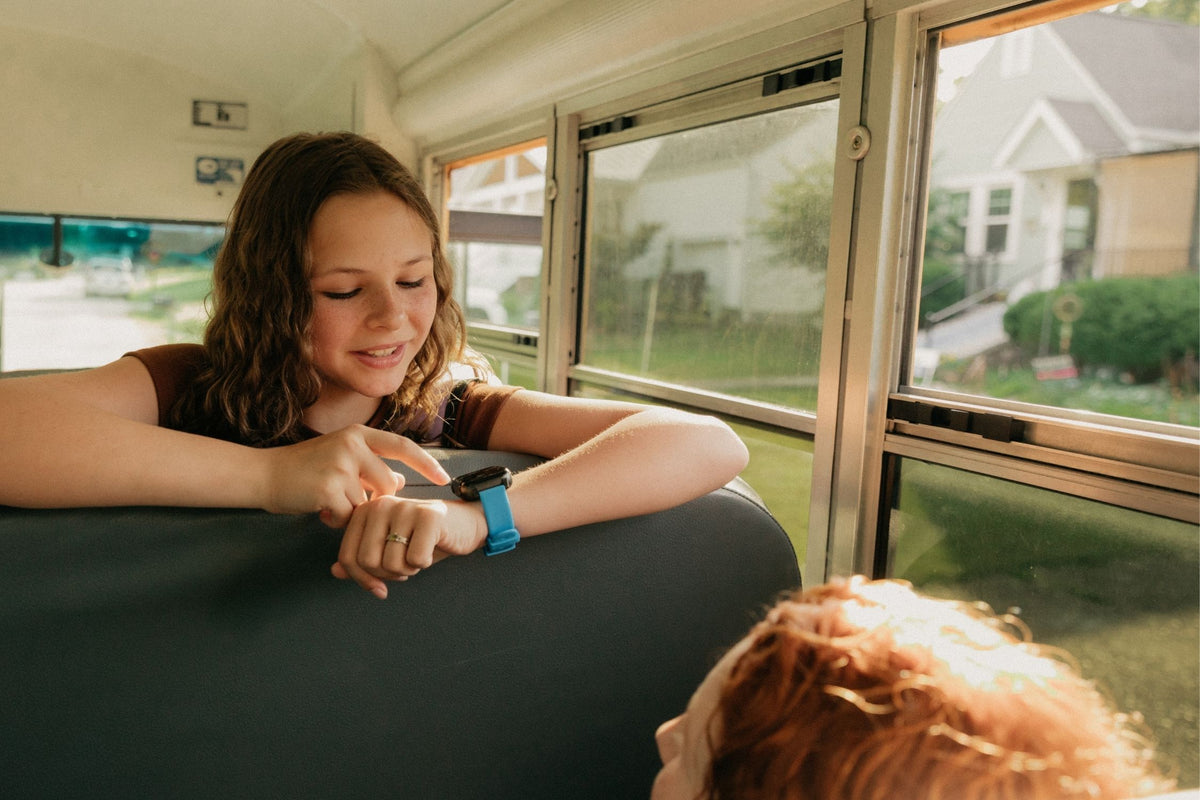
A girl on the school bus resting her arm on the seat, JrTrack on her wrist
Built for the first solo trips

Five named systems, all on every JrTrack

The features below have names because they are engineered as systems, not as checkboxes. Each gets its own chapter on this page. None of them is a paid tier, and all of them ship on JrTrack Pro.

HaloGPSMulti-constellation location with Active Tracking, SafeZones, and Wi-Fi assist
SafeCoreSOS to every Guardian, SafeZone alerts, optional 911, approved contacts only
TrueTextingReal SMS and MMS from the watch's own number, readable in the Cosmo app
School-FiLocation-triggered distraction-free mode for any school campus in America
Cosmo MobileFlexSIM eSIM that roams across major towers for 4G LTE coverage

Who it is for

In shortKids ages 6 to 12. The real test is not the birthday but whether they regularly go somewhere without you.
  • Ages 6 to 7. Handoffs. Daycare pickup, a grandparent's car, the walk from the school door to the corner. Arrival alerts and a call button carry the load.
  • Ages 8 to 10. The sweet spot. Bike rides, walking home, staying after for practice, a friend's house two streets over. Texting and location both get used daily.
  • Ages 11 to 12. Works well when the answer to a phone is not yet. The keyboard on JrTrack Pro matters most here.

The watch starts with the basics and lets you unlock more as they are ready. Apps, 911, and Buddies are all switches you flip, not defaults.

A dad and his son fist-bumping outside, the boy wearing a JrTrack
Starts with the basics, grows from there
Feature 01

HaloGPS

Engineered to find them, every time. Multi-constellation GPS, Wi-Fi assist, and live updates every 5 to 10 seconds when you want to watch them move.

115satellite signals
5 to 10 sActive Tracking
92%faster first lock4
Wi-Fiassist indoors

How it finds them

In shortThe watch listens to 115 satellite signals across multiple constellations at once, instead of one network. Losing a few signals to a rooftop or a tree line does not cost the fix.

An older single-network GPS chip needs a clear view of a handful of satellites. Downtown, under trees, or in a school corridor, that is a hard ask, and the result is the wandering dot every parent of a first-generation kids watch has complained about.

HaloGPS pulls from several satellite systems simultaneously, so there are always more signals than it needs. Indoors, Wi-Fi assist uses nearby networks as extra reference points to keep the dot on the right building. In Cosmo lab testing, first lock came about 92 percent faster than single-constellation GPS.4

Cosmo app on an iPhone showing live locations for two kids
Two kids, one map, in the Cosmo app

Active Tracking

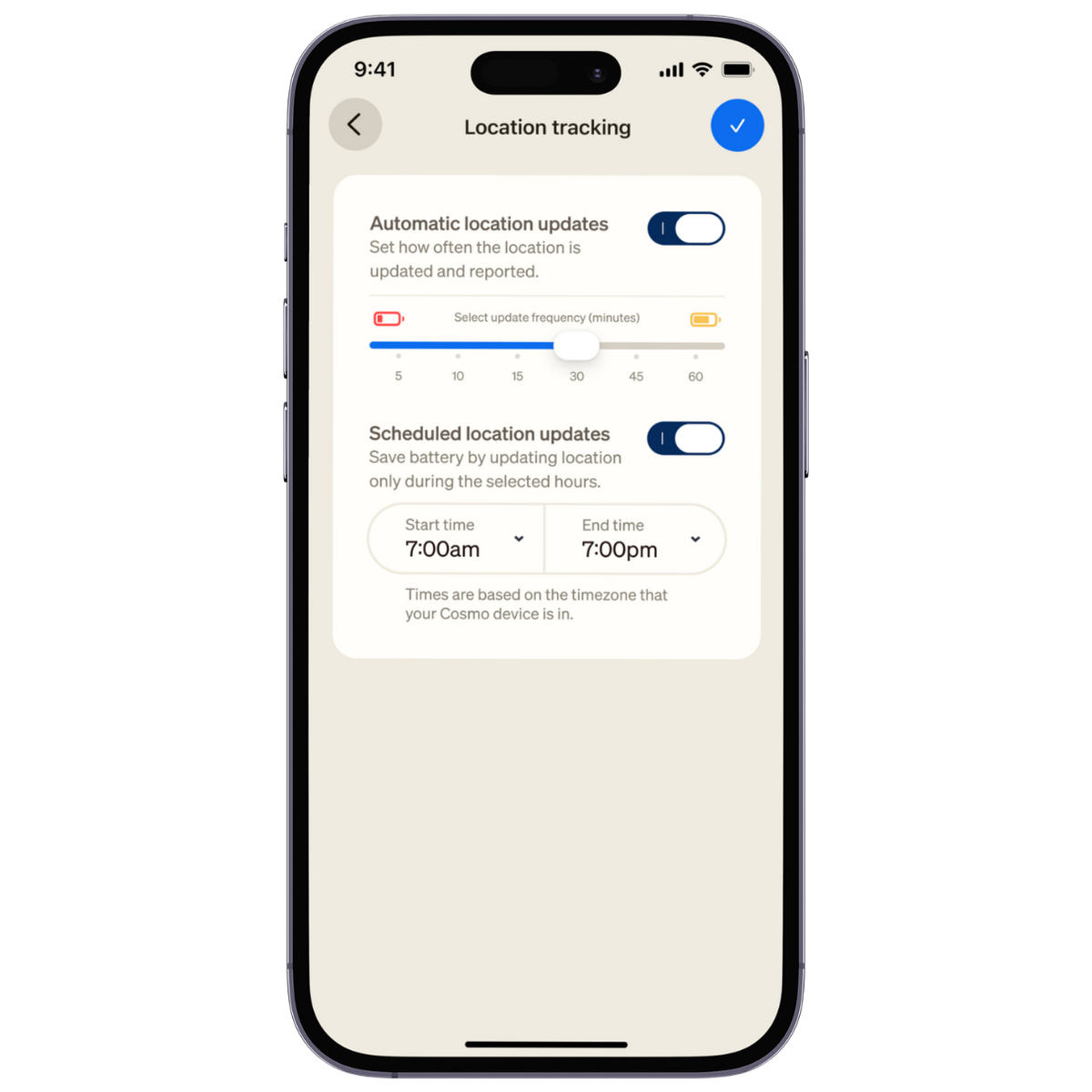
In shortNormally the watch checks in on a schedule you set. Tap Active Tracking and it updates every 5 to 10 seconds, for the twenty minutes you actually need it.

This is the mode for the walk home, the bike ride to practice, or the ten minutes after a "where are you?" text goes unanswered. The map moves with them.

It is also the single biggest lever on battery life, which is why it is a button rather than a default. Frequent location updates keep the GPS radio awake, and an awake radio drinks. The default schedule and scheduled hours cover a normal day with battery to spare.

  • Default schedule. Periodic check-ins, easy on the battery.
  • Scheduled hours. Update more often on the walk to school and the walk home, less in between.
  • Active Tracking. Every 5 to 10 seconds, on demand.
Cosmo app live tracking a child moving along a street

Safezones

A SafeZone is a circle you draw on the map. When your child crosses into it or out of it, you get a notification. Most families end up with three or four: home, school, practice, and a grandparent's house.

  • Arrival is the alert you will use most. "Arrived at school" at 8:12 a.m. answers the question you were about to ask.
  • Draw them a little generous. A zone drawn tight around a building fires more often than one that covers the block, because a GPS fix drifts a little even when your child is standing still.
  • HaloGPS makes them faster. Real-time SafeZone detection means the alert lands when they cross the line, not five minutes later.
Cosmo app showing a Safezone drawn around a location
Draw the circle, choose the alerts

How accurate it is, by situation

Accuracy is not one number. It changes with where your child is standing, and it helps to know the pattern before you read the map at 3 p.m. on a Tuesday.

Outdoors, open sky

The best case. Park, field, sidewalk, bike path. The dot lands on the right side of the street and stays there.

Dense or covered

Tall buildings, heavy tree cover, a parking garage. The fix holds, but expect the dot to settle for a moment.

Deep indoors

The middle of a school, a basement, a big-box store. Wi-Fi assist keeps you at the right building. Expect the building, not the room.

Read the timestamp, not just the pin. A location from eleven minutes ago is a different fact from one from eleven seconds ago. The app shows both. If you need the second, start Active Tracking.

Location history

The app keeps the day's trail, so "where were they at 4?" is something you can answer after the fact rather than something you had to be watching for. In practice it gets used for logistics far more than suspicion: confirming the bus ran late, or working out where a coat was left.

History follows the same accuracy rules as live location. A gap in the trail almost always means no signal or a dead battery.

Location history trail in the Cosmo app

Questions parents ask about location

Can I see where they are all day?

Yes. Location reports on the schedule you set, and the map is in the app whenever you open it. For a live view, Active Tracking updates every 5 to 10 seconds. For "did they get there", SafeZone arrival alerts do it without you opening the app at all.

Does location drain the battery?

Update frequency is the biggest factor in battery life by a wide margin. The default schedule gets a full day comfortably. Continuous Active Tracking will not. Use it for the stretches you need it, and let scheduled hours cover the rest. More on battery.

What if they take the watch off?

The map shows you where the watch is. There is no wear detection, so a watch left at a friend's house shows the friend's house. Watches that go on with shoes in the morning and come off at bedtime stay on wrists; it is a habit more than a feature.

What happens with no signal?

The map holds the last known fix with its timestamp, and catches up when signal returns. Texts sent in the meantime deliver when the watch reconnects, like any SMS.

Feature 02

SafeCore

The safety layer on every JrTrack. SOS to every Guardian with live location, SafeZone alerts, optional 911, and a contact list that keeps everyone else out.

1 holdto send an SOS
EveryGuardian alerted at once
911optional, parent-enabled
0unknown numbers get through

What SafeCore includes

In shortFour things, on every plan, with nothing behind a higher tier: SOS, SafeZones, optional 911, and approved contacts only.

SOS

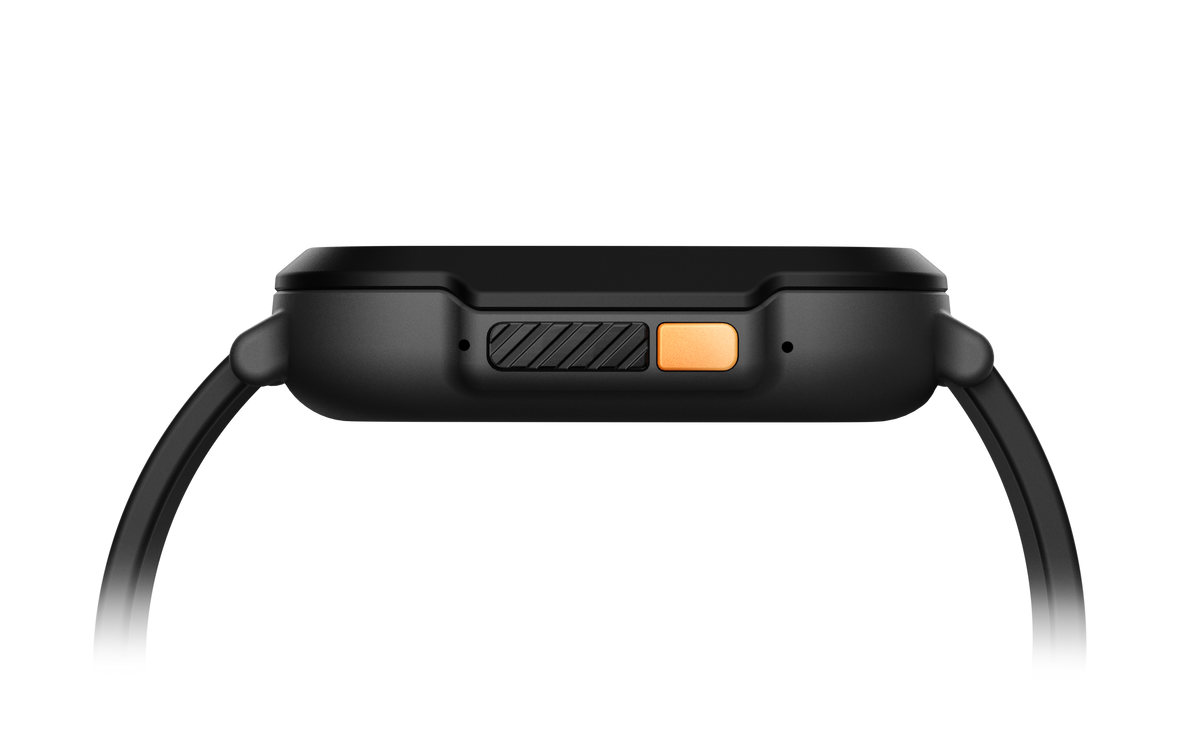
A long hold on the side button alerts every parent and Guardian with the child's live location.

SafeZones

Arrival and departure alerts for the places you draw on the map. How they work.

Optional 911

Off by default. You turn it on in the app when you decide your child is ready for it.

What happens when they hold the button

The sequence, start to finish.

  1. Your child presses and holds the side button. On JrTrack Pro, that is the orange Action button.
  2. The watch takes a fresh location fix rather than reusing the last known one.
  3. Every Guardian on the account is alerted at once, not just the primary parent. Nobody has to be awake and holding their phone for the alert to reach the others.
  4. The alert carries live location, so the map keeps updating while your child moves.
  5. If you have enabled 911, your child can place that call from the same screen.
SOS always gets through. School-Fi, Bedtime, and every other restriction leave it on. There is no mode where the button does nothing.
JrTrack showing Activating SOS on screen, with tap to cancel
One long hold, every Guardian notified

Guardians, and why you want more than one

A Guardian is an adult you invite into the account who can see location, receive SOS and SafeZone alerts, read messages, and change settings. A contact can only call and text. The most common setup gap is a single Guardian: one parent, one phone, one point of failure.

  • Add both parents, including across a split household. Alerts reach everyone at once.
  • Add the adult who is geographically closest during the school day. A grandparent five minutes away beats a parent forty minutes away.
  • The full Guardian-versus-contact breakdown is in the Cosmo app chapter.
A group of kids walking together after school
More adults on the account, more coverage

911 calling

In shortIt is off until you turn it on, and you can turn it back off. That is deliberate.

A six-year-old with a 911 button on their wrist is a different proposition from an eleven-year-old who walks home alone. So the switch is yours, in the Cosmo app. Most families enable it around the time a child starts travelling a route on their own, after a conversation about what counts as an emergency and what happens on the other end of that call.

Approved contacts only

In shortThe watch only accepts calls and texts from numbers on the contact list, and only you can add to that list. Everything else is refused before it rings.
  • You add every contact, from the Cosmo app. Your child cannot add one from the watch.
  • Inbound is filtered. A wrong number, a spam call, a robotext, none of them reach the watch.
  • Outbound is limited the same way. The watch cannot dial a number that is not on the list.
  • There is no second door. No email, no social app, no browser, so nothing else to filter.
Buddies are the one exception, and it still runs through you. Kids can add each other as Buddies from the watch without swapping phone numbers, but every request waits for your approval. How Buddies work.

Questions parents ask about safety

Is there someone on the other end of an SOS?

The alert goes to you and the Guardians you added, not to a Cosmo call center. That is why it pays to add more than one adult, and to include someone who is usually close to your child during the day. Optional 911 covers the case where a real emergency line is needed.

Can a stranger contact my child?

No. Inbound calls and texts are accepted only from the contact list, and only you can add to it. The watch also cannot call or text out to a number that is not on the list.

Does SOS work during School-Fi or Bedtime?

Yes. Every restriction level leaves SOS on. Location keeps reporting too.

Does it detect falls or monitor health?

No. JrTrack is a connection and location device, not a medical one. There is no fall detection or heart-rate alerting.

Feature 03

Texting

TrueTexting gives the watch a real number and real SMS. Photos, videos, voice notes, group chats, and talk to text sit on top of it, and every word is readable in the Cosmo app.

SMSfrom its own number
MMSphotos, video, voice
Groupsthe whole family in one thread

TrueTexting: real SMS, from a real number

In shortThe watch has its own phone number and sends normal texts. You message it from your phone's messaging app. No special app on your side, no account for grandma to create.

Plenty of kids watches only talk to a proprietary app, which means every adult in your child's life has to download something, make an account, and remember it exists. TrueTexting skips all of that. A grandparent texts a number and it lands on the wrist.

The watch also receives real calls the same way, over 4G LTE, in the US, Canada, and Mexico.3

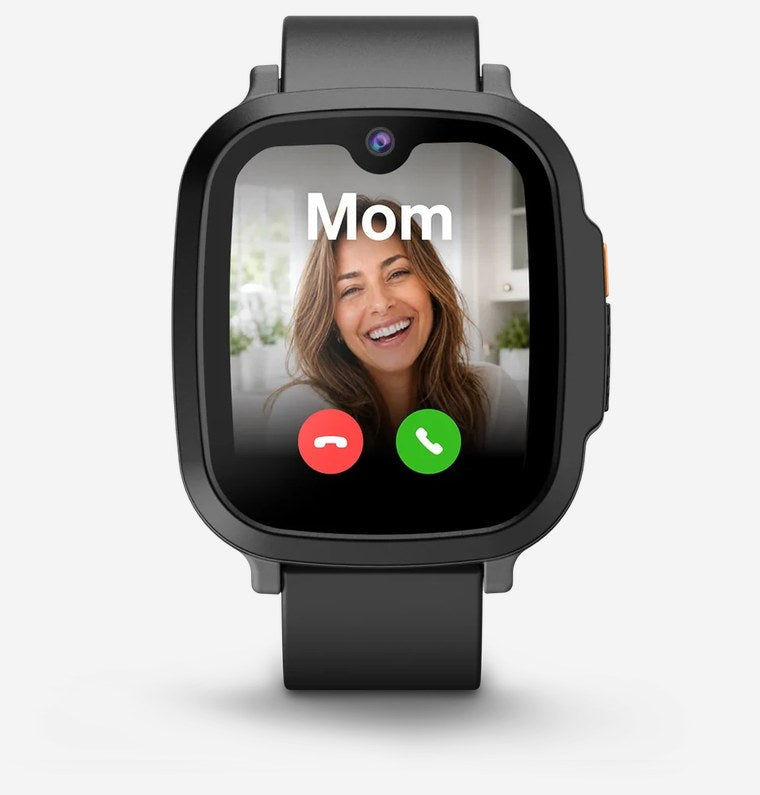
JrTrack showing an incoming call from Mom
A real call, from a number you approved

Photos, videos, voice notes, and group chats

MMS that actually works. A picture from the field, a ten-second video, a quick voice note when typing is too slow. And one thread with Mom, Dad, and Grandma in it, where everyone is someone you approved.

  • Photos and video. From the 5 MP front camera on JrTrack Pro, straight into a thread.
  • Voice notes. Hold the mic when a sentence is too much to type.
  • Group threads. The whole family in one conversation, every member approved by you.
JrTrack showing a new message in the Family Chat group
One thread for the whole family

Talk it out, or type it

In shortVoice to text turns "practice ran late, can you pick me up?" into a real text before the keyboard even comes out. For the kid who is ready, there is a full keyboard sized for a wrist.

A seven-year-old hunting for letters is the most common reason a kids watch stops getting used. Younger kids lean on the mic almost entirely for the first few months. That is normal.

The keyboard has word suggestions, emoji, and a mic key. On the 1.78-inch OLED it is genuinely usable, even for a kid who has decided typing is a skill worth having.

JrTrack showing the keyboard with a message typed out
Keyboard, suggestions, emoji, and a mic key

Every message, readable in the Cosmo app

Texts, photos, and voice notes all show up on your phone as they happen. Texting with training wheels: your child learns to communicate on a device where the whole thread is visible to a parent and the contact list cannot include a stranger.

Your child sees the same messages on their own wrist. This is a visible watch, not hidden software, and families who frame it as "how we stay in touch when you are out on your own" get a device that gets worn.

A watch conversation viewed in the Cosmo app
The same thread, on your phone

Questions parents ask about messaging

Do relatives need the Cosmo app to text the watch?

No. Anyone you add as a contact texts the watch's number from their normal messaging app. Only Guardians use the Cosmo app, and only for the management side.

Can it video call?

Not currently. The front camera is for photos and short videos sent into a thread. Voice calls work with every approved contact.

Can my child text someone I have not approved?

No. Outbound texts and calls are limited to the contact list the same way inbound ones are.

Does texting work in Canada or Mexico?

Texting works in the US and Canada. Calling works in the US, Canada, and Mexico.3

Feature 04

School-Fi™

Recognizes the campus and goes distraction-free from bell to bell, on its own. No schedule to manage, nothing for your child to remember. SOS always gets through.

Anyschool campus in America
3restriction levels
Autoholidays, half days, snow days

How it works

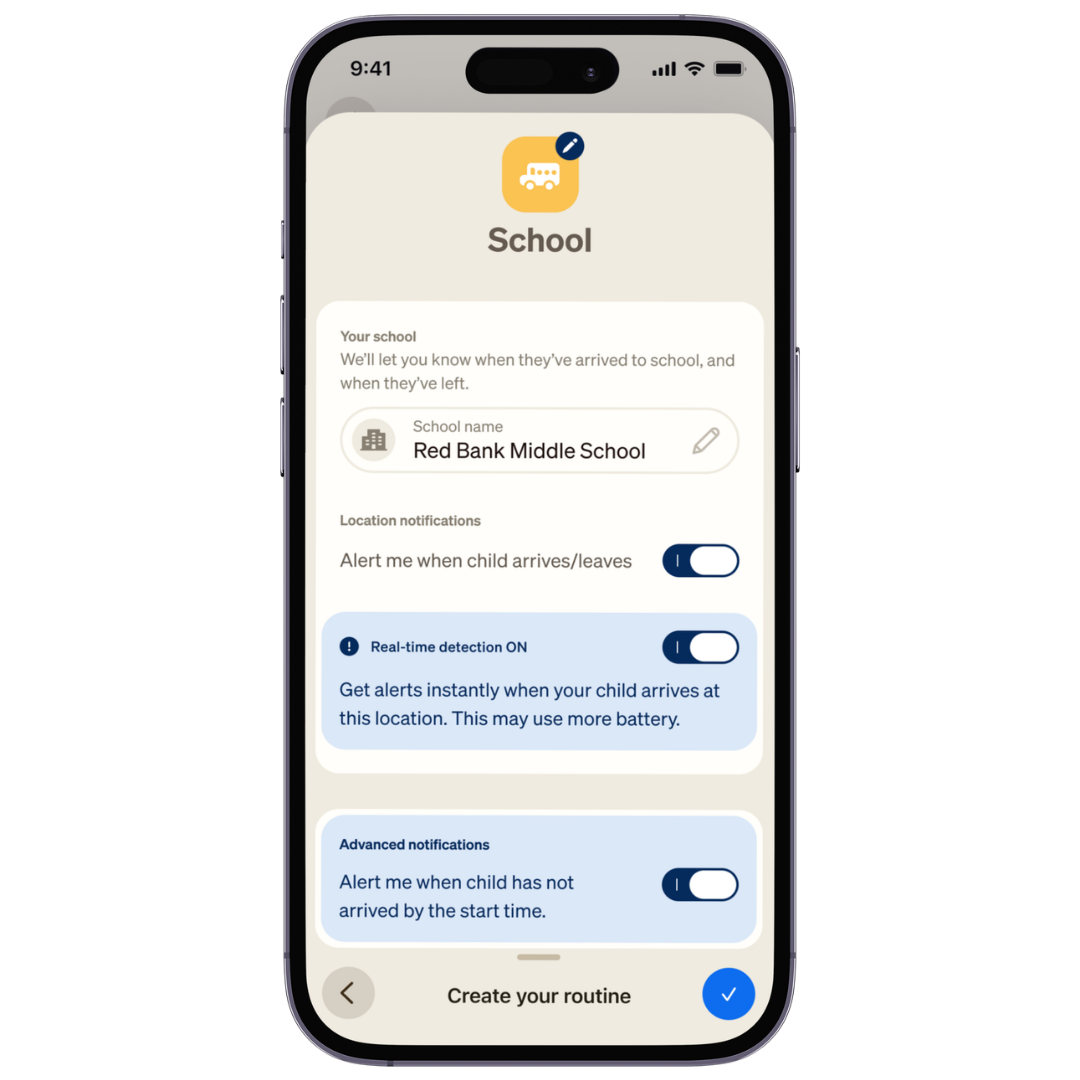
In shortSchool-Fi is triggered by location, not by a calendar. The moment they step on campus the watch goes quiet at the level you chose. Off campus, everything switches back on by itself.

Schedule-based school modes break on exactly the days you forget about: holidays, half days, snow days, early dismissal, a field trip that runs late. Because School-Fi is powered by HaloGPS, none of those need managing. It knows where school is, so it knows when it is school.

You get the arrival notification when they get there, and the watch handles the rest of the day.

A mom looking at her phone with a notification that her child's School routine has started
"Emma's School routine has started"

Set it once

  1. Choose their school. Search any school in America and adjust the automatic geofence to fit the campus.
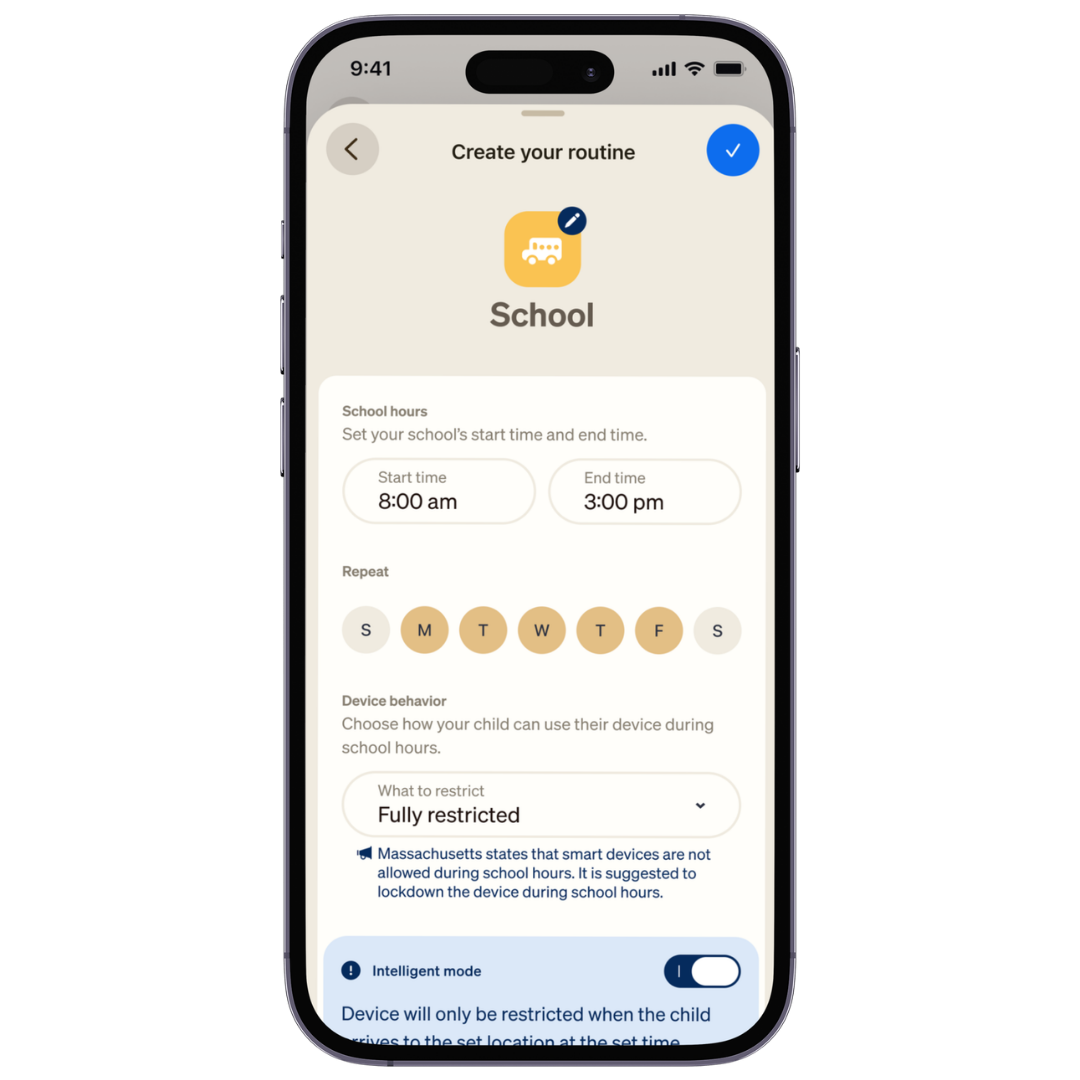
  2. Customize essentials. Pick the restriction level and your notification preferences.
  3. Let JrTrack handle the rest. Holidays, new schedules, snow days. It keeps up on its own.

Fully, partially, or unrestricted. Your call.

Fully restricted

  • No calls or texts in
  • No apps or games
  • SOS still works
  • Location still reports

Partially restricted

  • Parents can still get through
  • No apps or games
  • SOS still works
  • Location still reports

Unrestricted

  • Everything stays on
  • Apps available
  • SOS still works
  • Location still reports

Most families start fully restricted for the first term. It is the setting that makes a teacher stop noticing the watch, which is the outcome you want.

What the school day looks like

The Explorer Clip

Some schools have away-for-the-day policies where wrist devices go in a pouch or a locker. The Explorer Clip snaps JrTrack onto a backpack or belt loop instead of a wrist, so it stays with your child and stays connected on the walk to and from school. Wear it, clip it, you decide. 

School-Fi runs the same way either way, because it keys off location, not off how the watch is worn.

The Cosmo School Clip accessory
Sold separately

Questions parents ask about school

Will the school allow it?

Policies vary and change year to year, so check yours. "Silent and out of sight during class" is satisfied by fully restricted School-Fi. "No phones, watches allowed" is the most common policy and the one JrTrack was designed around. Away-for-the-day policies are what the School Clip is for.

Parents who explain to the teacher in week one that the watch is locked to a handful of contacts and goes silent on campus almost never have a problem.

What about a school that is not in the database?

School-Fi recognizes any school campus in America, and the geofence is adjustable, so an unusual campus layout can be drawn to fit.

Can I still reach them during class?

On partially restricted, parents still get through. On fully restricted, nothing rings during class, but SOS still works and location still reports. Most families pick fully restricted and use the arrival alert as their check-in.

Feature 05

Routines

School, bedtime, practice, homework, Sunday dinner. Build a routine for any time or place and the watch runs it without anyone remembering.

Schoolby location
Bedtimeby hours
Yoursby either

Routines that run themselves

In shortA routine is a set of watch rules that starts on its own, by schedule or by location. School-Fi is one. Bedtime is another. You can build the rest.
  • School. Fully, partially, or unrestricted while they are on campus. Powered by School-Fi.
  • Bedtime. Lights out means screen off. Set the hours once, and calls from parents still ring.
  • Your routine. Practice, homework, Sunday dinner. Pick a time or a place, choose what gets through, and tune how often location updates while it runs.

Every routine leaves SOS on and location reporting. The only things a routine can turn off are the things that distract.

Cosmo app creating a routine, with hours and a restriction level
Set it once, it runs on its own

What they see on the wrist

A routine announces itself before it starts, so nobody is surprised mid-sentence. The watch face changes, the app grid trims down, and the things you left on stay exactly where they were.

  • School starts on arrival and ends on departure.
  • Bedtime turns the screen off, and parents still ring.
  • A heads-up shows a few minutes before any routine kicks in.
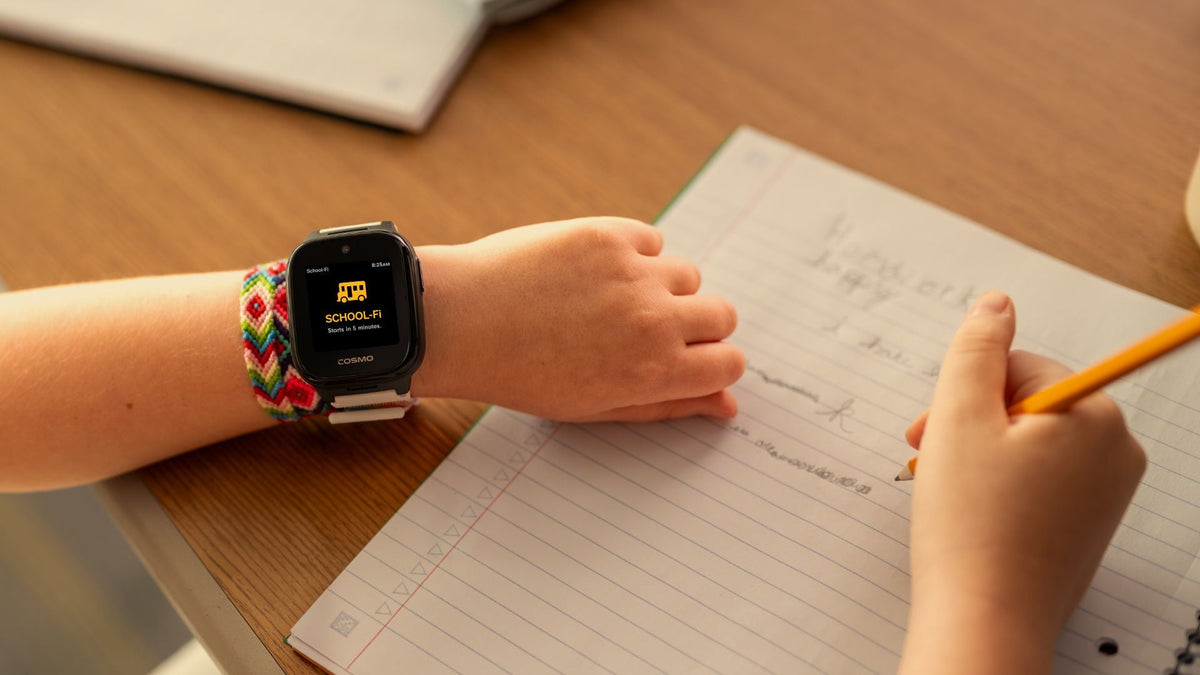
JrTrack showing a Focus mode notice: School starts in 5 minutes
The watch gives a heads-up before it changes
Feature 06

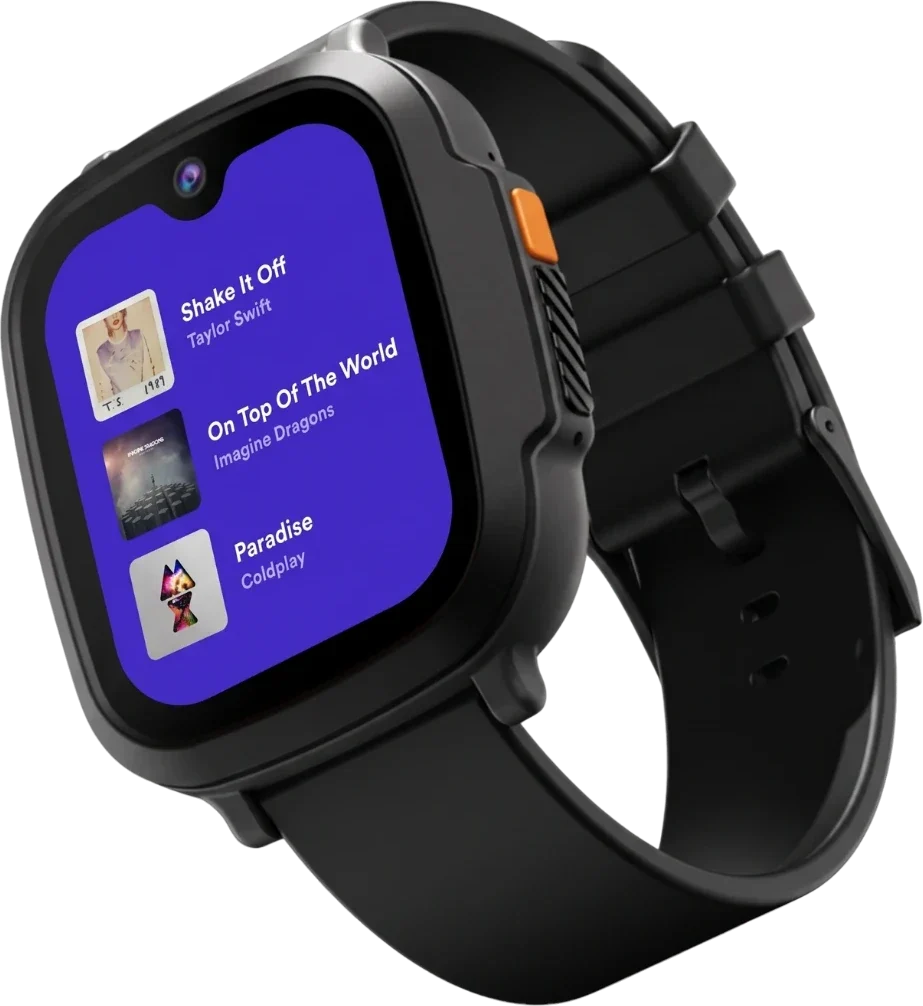
App Station & music

A curated, kid-safe library. You approve each app from your phone, with time limits if you want them. Spotify, Spotify Kids, and iHeartRadio on the wrist or through Bluetooth headphones.

Youinstall every app
Dailytime limits per app
3music services

How App Station works

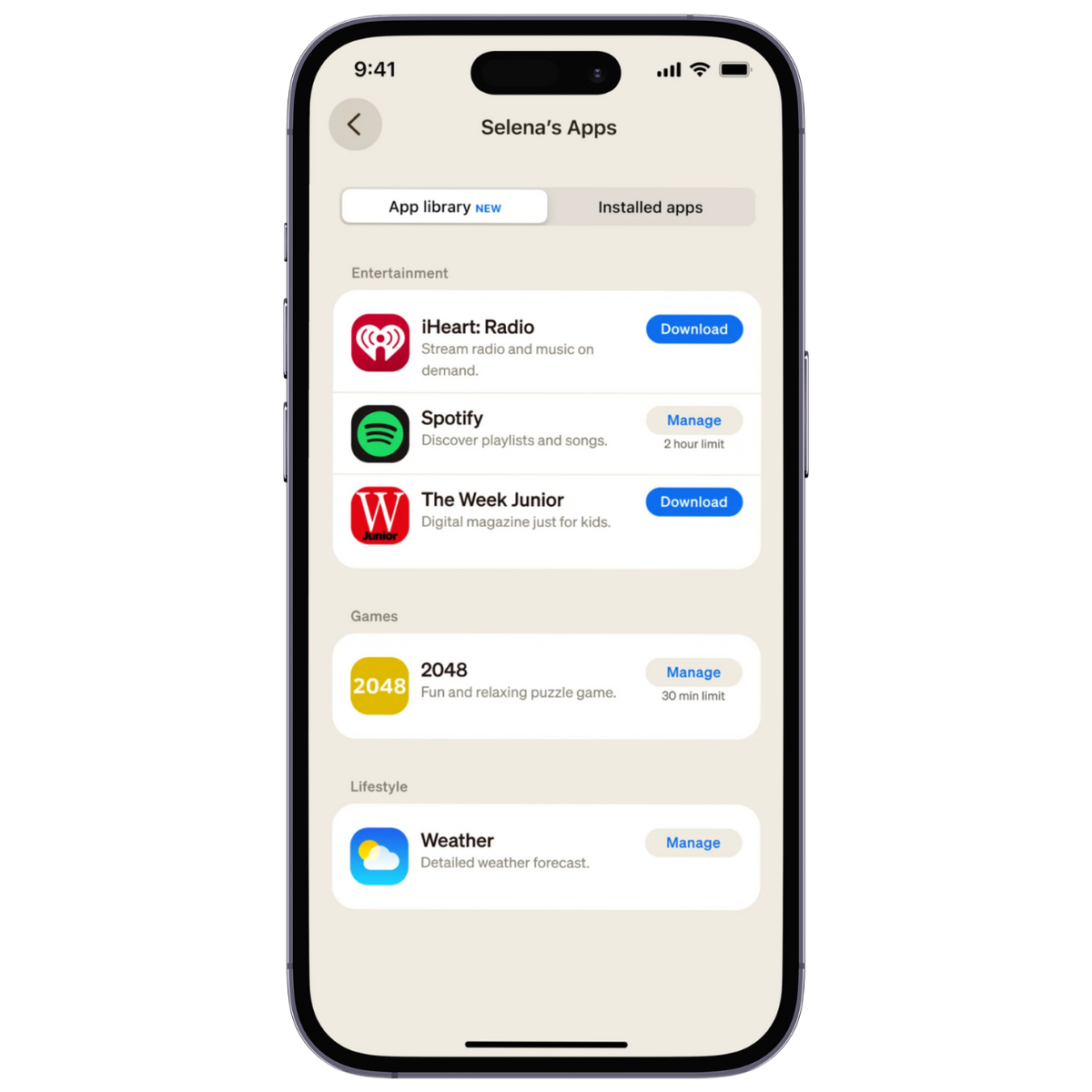
In shortYou choose from the library in the Cosmo app and install to the watch. Your child cannot add anything themselves, and there is no store on the wrist to browse.

Each app you approve can carry a daily time limit, set in the app rather than negotiated on the wrist. When the limit is up, the app closes and the rest of the watch keeps working.

The library grows. New apps land in App Station, and nothing appears on your child's watch until you put it there.

Cosmo App Station library with download buttons and time limits
Install and set limits from your phone

The full library

In shortThis is the complete list. Every app that can go on the watch is here, and nothing outside it can be installed.
MusicSpotify, Spotify Kids, iHeartRadio
Puzzle games2048, Flappy Bot, Swip3
Health and wellnessCalm, GoNoodle, Action Hero
ProductivitySimple Checklist
LearningThe Week Junior, Word of the Day
Standard on the watchWeather, calculator, activity tracking, camera, wallpapers, stopwatch, alarms

No browser, no store, no social

In shortThere is no web browser, no app store, no social media, and no YouTube on the watch. Not restricted or filtered. Absent.

This is the architectural decision behind the whole product. A device with a browser is a device where every other protection can be walked around. Leaving it out is what makes "you approve every app" a real statement rather than a setting.

Music is the one streaming exception, and it runs through the services above over Wi-Fi.

Questions parents ask about apps

Will this become another screen to fight about?

It can, if the app list grows without limits. Families who have run one for a year suggest starting with almost nothing: messages, calls, and a watch face. Add the first game after a month, use daily limits from day one, and let Bedtime handle the nightstand.

Can my child download something without me knowing?

No. Installation happens only from the Cosmo app on your phone. There is no store on the watch.

Does music use the cellular plan?

Music streams over Wi-Fi. Every plan includes unlimited data, so there is no overage to watch either way.

Feature 07

The Cosmo app

Your all-in-one hub for location, contacts, routines, apps, and every message on the watch. More confidence for you, so freedom for them comes with peace of mind.

iOSand Android
Everymessage, readable
Livemap, always

Everything in the Cosmo app

In shortIf the watch is the product your child uses, the app is the product you use. Nothing on the watch is set from the watch.

Guardians, contacts, and Buddies

Three roles, and the difference between them answers most privacy questions.

 
Guardian
Contact
Buddy
Call and text the watch
Yes
Yes
Yes, watch to watch
See live location
Yes
No
No
Receive SOS alerts
Yes
No
No
Read messages in the app
Yes
No
No
Change settings and routines
Yes
No
No
Added by
You
You
Your child, approved by you

A grandparent you add as a contact can talk to your child all day and will never see a map. Making them a Guardian is a separate, deliberate act.

What Cosmo holds

Running the service means holding some data: the account, location so the map can show it, messages so they can be delivered and read in the app, and the diagnostics that keep a fleet of watches working.

  • Your child's data is not sold, and the watch carries no advertising.
  • There is no third-party ad network on the device, because there is no browser and no ad-supported app.
  • The account belongs to the parent. Deleting it removes the child profile with it.
For the exact terms, including retention and deletion requests, the Cosmo privacy policy is the document that governs. This page is the plain-language version.
Tap through the Cosmo app A working copy of the parent app: the live map, contacts, routines, App Station, and every message. Right here in your browser.
Feature 08

Cosmo Mobile

Coverage that keeps up. A FlexSIM eSIM that roams across major network towers for reliable 4G LTE, with unlimited talk, text, and data on every plan.3

4G LTEFlexSIM, pre-installed
3countries for calling
From $9.99per month

How FlexSIM works

In shortAn eSIM is already inside the watch. It roams across major network towers, including AT&T and US Cellular, and takes whichever signal is strongest. Nothing to install, no carrier to call.

Because it roams rather than sitting on a single network, coverage tends to hold in places where one carrier alone is thin. Calling works in the US, Canada, and Mexico; texting in the US and Canada.3 Apps, music, and updates use Wi-Fi when it is available, which takes load off cellular at home.

Activation happens in the Cosmo app right out of the box. Wi-Fi features work as soon as the watch is paired; cellular can take up to 24 hours to fully come online, so set up on an evening or a weekend rather than a school morning.

The plans

Every plan includes the same thing: unlimited talk, text, and data, full Cosmo app access, 24/7 GPS, and a 30-day money-back guarantee. The only difference is how long you commit and what that lowers the monthly to. Choose during activation, upgrade any time.

Plan
Monthly equivalent
Paid
Notes
Try it out
$19.99/mo
Monthly
No commitment, cancel any time
6-Month
$14.99/mo
$89.94 up front
1-Year
$12.99/mo
$155.88 up front
Most popular
2-Year
$9.99/mo
$239.76 up front
Lowest monthly
All new lines require a one-time $14.99 activation fee. Prices in USD.

Questions parents ask about the plan

Can I add it to my own carrier's family plan?

No. JrTrack works only with a Cosmo Mobile plan. There is no SIM tray, and the watch cannot be added to a Verizon, AT&T, or T-Mobile family plan. FlexSIM is what lets it roam across networks instead of being locked to one.

Is there a contract?

Try it out is month to month with no commitment. The 6-month, 1-year, and 2-year plans are prepaid for the term in exchange for a lower monthly. Every plan carries the 30-day money-back guarantee.

What happens if we cancel?

Inside 30 days, the money-back guarantee applies. After that, Try it out can be cancelled any time, and prepaid terms run to the end of the term. Billing lives in the Parent Portal.

Does it work outside the US?

Calling covers the US, Canada, and Mexico. Texting covers the US and Canada.3 Beyond those, treat the watch as a Wi-Fi device.

Feature 09

Design & battery

Built to keep up. The slimmest JrTrack yet, a 1.78-inch OLED, a 730 mAh cell, and a frame made for playgrounds and bike racks.†

12.8 mmfront to back
730 mAhUp to 48 hours1
3 ATMwater resistant2
~90 minto full charge

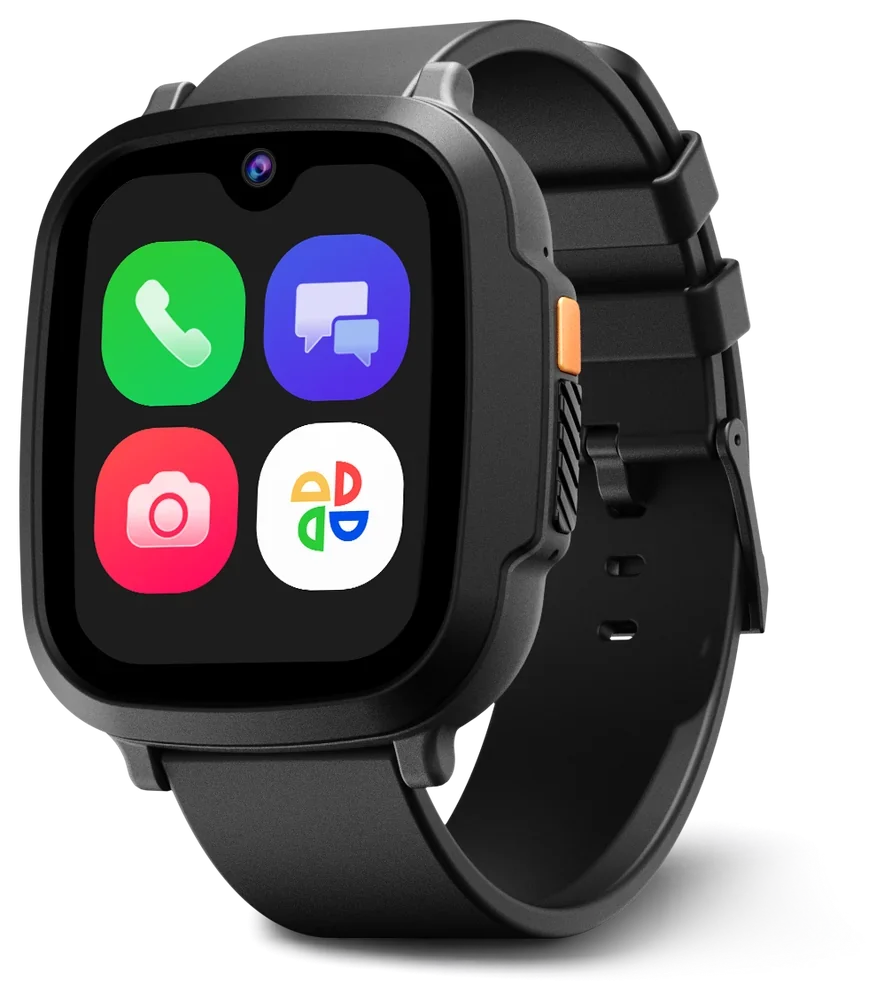
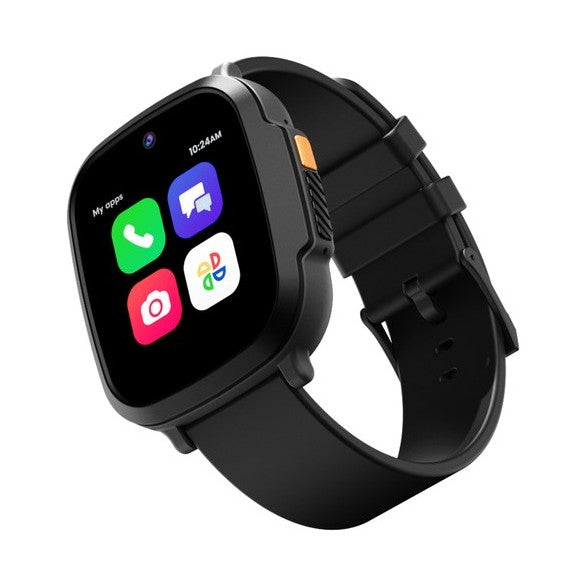
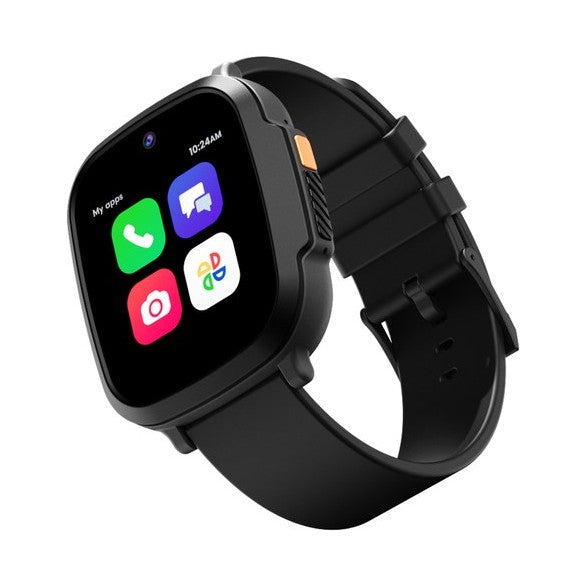
A closer look at JrTrack Pro

All-day battery, and then some

In shortA 720 mAh cell. Up to 48 hours at default settings and about 90 minutes to full on the magnetic charger.1 Bus stop to bedtime, with room to spare.

Battery complaints about kids watches are almost always a settings story. The things that move the needle, in order:

  • Location update frequency. By far the biggest factor. Continuous Active Tracking will cut runtime hard; the default schedule will not.
  • Weak signal. A watch hunting for a tower works harder than one sitting on a strong one.
  • Screen time and music. Games and streaming over Wi-Fi cost real battery.
  • Cold. A January bus stop takes a bite out of any lithium cell.

The habit that settles it: a charging stand on the nightstand, and the Bedtime routine. Ninety minutes covers a full charge, and they are asleep far longer than that.

JrTrack charging on the magnetic charging stand
Drop it on at night, ready by morning

Water, and what 3 ATM covers

In shortJrTrack Pro is rated 3 ATM, which is 30 meters or about 98 feet of static pressure.2 That covers rain, sinks, sprinklers, and puddles. It is not a swim or dive rating.

"30 meters" is a pressure test in a lab, not a depth you can take it to. Jumping into a pool creates far more force than standing still under 30 meters of water, which is why no watch at this rating should go off a diving board.

Fine

  • Rain, sleet, and snow
  • Handwashing and sinks
  • Sprinklers and water balloons
  • A puddle they did not see

Take it off

  • Swimming and pool days
  • Diving and water slides
  • Baths and long showers
  • Hot tubs, where heat is the real problem
Kids will get it wet anyway. Water damage is covered from the basic Cosmo Care tier. How Cosmo Care works.

Made for real kid life

A reinforced frame and scratch-resistant glass,† which tells you what we expect to happen. Playgrounds, bike racks, and the bottom of a backpack are the design brief, not the edge case.

What still breaks: a screen that meets concrete corner-first, and a watch that never came home from camp. Neither is a warranty claim, which is the entire reason Cosmo Care exists.

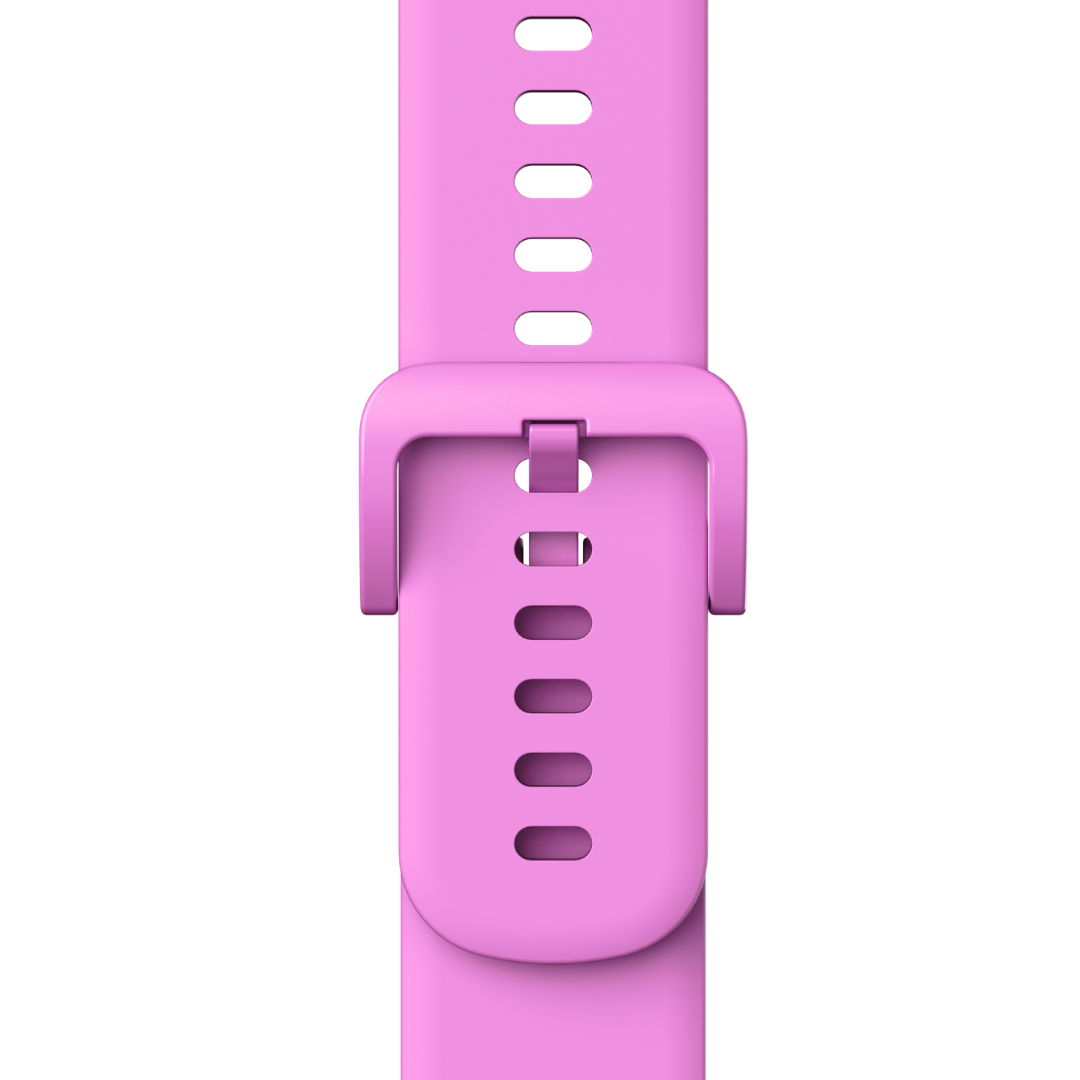
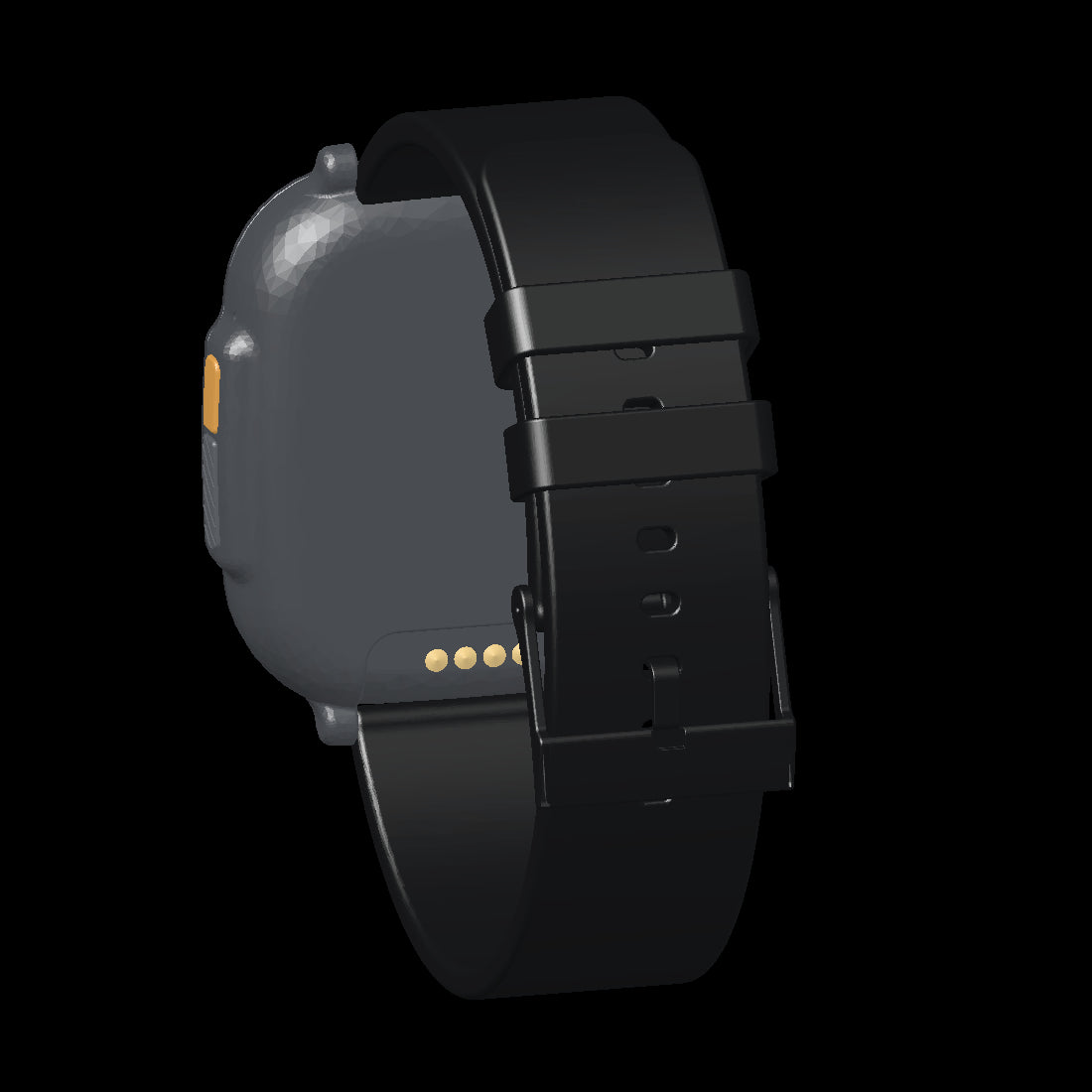
Both a silicone band and a velcro band ship in the box. Velcro is usually the answer for the youngest wrists. Bands swap in seconds, so a band that stops fitting is a $10.99 problem, not a new watch.

Kids playing outdoors wearing JrTrack smartwatches
Designed for the way this actually goes

Full specifications, JrTrack Pro

Dimensions52 × 43 × 12.8 mm†
Display1.78-inch OLED touchscreen, 368 × 488, scratch resistant†
Battery730 mAh. Up to 48 hours at default settings, about 90 minutes to full1
Memory32 GB storage, 3 GB RAM
Camera5 MP front-facing, photos and short videos to approved contacts
Water resistance3 ATM, water rated to 30 m (98 ft)2
Connectivity4G LTE, Wi-Fi, Bluetooth 4.2, NFC for tagging
SensorsActivity, direction, and altitude
CellularFlexSIM with eSIM pre-installed. Cosmo Mobile only.
LocationHaloGPS, 115 satellite signals, Active Tracking, Wi-Fi assist
SafetySafeCore: SOS to all Guardians, SafeZones, optional 911, approved contacts only
CoverageCalling in US, Canada, Mexico. Texting in US and Canada.3
In the boxWatch, charging clip and wall adapter, silicone and velcro bands, quickstart guide
Feature 10

Cosmo Care & guarantees

Kids will be kids. We planned for that. Optional protection for the watch itself, plus the guarantees that come with buying from the official Cosmo store.

30 daysmoney back
3 yearswarranty
From $2.99per month, Cosmo Care

How Cosmo Care works

In shortOptional protection for the watch, billed monthly, no annual plan, no tax. A cracked screen, a swim it was not supposed to take, or a watch that never came home: one short call to support and a replacement is on its way.
 
Cosmo Care Basic, $2.99/mo
Cosmo Care Plus, $5.99/mo
Accidental damage
Yes
Yes
Water damage
Yes
Yes
Free replacements
One per year
One per year
Loss and theft
No
Yes
Annual upgrade to the latest device
No
Yes

If your child has never lost a jacket, Basic is probably enough. If "it was in my backpack" is a regular feature of your week, Plus covers loss, and the annual upgrade takes some of the sting out of the monthly. Add it at checkout.

“Thankfully we bought the insurance, because she lost her watch this month. After a short call to the support team, her replacement arrived in three days with no issues.” Chloie, verified buyer

The guarantees

Money-back guarantee30 days, on every membership
WarrantyThree years, on manufacturing defects
Free upgradesEvery two years, buying from the official Cosmo store
SupportReal humans, seven days a week
Made inPennsylvania. Available in the US and Canada
Buy from cosmotogether.com. The guarantee, the warranty, and the two-year upgrade apply to watches bought from the official store.

What happens if

The watch is lost

Check the map first. The last known location and its timestamp are in the app, and a watch with battery and signal keeps reporting. Most "lost" watches are located this way within minutes.

If it is genuinely gone, Cosmo Care Plus covers loss and theft. Basic does not.

The screen is cracked

Accidental damage is covered by both Cosmo Care tiers, with one free replacement per year. Without Cosmo Care, a drop is not a warranty claim; the three-year warranty covers manufacturing defects.

My child outgrows it

Most families get two to four years out of a JrTrack before a phone conversation starts in earnest. Bands stop fitting first, and those swap for around $10.99. If a younger sibling is coming up behind, the watch moves down with a new profile. Cosmo Care Plus includes a free annual upgrade to the latest device.

We are a split household

Add both parents as Guardians. Alerts, location, and messages reach both at once, and neither has to relay anything. One account, one watch, and the app is the shared surface.

We want to return it

Every membership comes with a 30-day money-back guarantee, so the first month is genuinely a trial. At week four, ask honestly whether it gets worn and used. If not, say so and return it.

Feature 11

The watch that grows up

Buddies, watch faces, steps and streaks. The parts of JrTrack that are theirs, with you still holding the switch.

Buddies

In shortKids add each other as Buddies right from the watch, no phone numbers to swap. You approve every one before it goes live.

Two kids with JrTracks hold their watches together, tap to add, and the request lands in each parent's Cosmo app. Nothing connects until both parents say yes. After that, Buddies can message each other watch to watch, and their step counts show up on a friendly leaderboard.

It is the one door your child can open, and it still needs your key.

Three friends with backpacks smiling together after school
Tap to add, parent approves

Watch faces, steps, and streaks

  • Watch faces. Digital, analog, or pared back, in eight accent colours and ten wallpapers. Their photo, their colors, their watch, and it changes in seconds.
  • Steps and streaks. A daily goal that fills a ring, and a friendly leaderboard with approved Buddies. Progress shows up in the Cosmo app too.
  • Bands. Quick-swap pins, so the look changes as fast as they change their minds.
The JrTrack Pro display showing a watch face

Which JrTrack is right for you?

Pro, 5 SE, or 5 Renewed

In shortHaloGPS, SafeCore, TrueTexting, School-Fi, and App Station are on all three. Pro adds a slimmer body, a much better display, a bigger battery, and a better camera.
 
JrTrack Pro
JrTrack 5 SE
JrTrack 5 Renewed
 
JrTrack Pro
JrTrack 5 SE
JrTrack 5 Renewed
Price
$179.99
$129.99
$49.99
Size
52 × 43 × 12.8 mm†
52 × 42 × 15.8 mm
52 × 42 × 15.8 mm
Display
1.78-inch OLED, 368 × 488
1.4-inch LCD, 240 × 240
Battery
720 mAh, up to 48 hours1
680 mAh, 18 to 24 hours1
Camera
5 MP, photo and video
2 MP, photo and video
Water
3 ATM, IP69, 30 m2
IP68, 1.5 m2
IP68, 1.5 m2
HaloGPS + Active Tracking
Yes
Yes
Yes
School-Fi
Yes
Yes
Yes, with the app firmware update
App Station and music
Yes
Yes
Yes

How to decide

  • JrTrack 5 Renewed if you are not sure the whole idea will stick, or it is a first watch for a younger child who may lose it. Same features, a third of the price, certified and warranted.
  • JrTrack 5 SE if you want the current generation without paying for the display. It is the volume choice for a reason.
  • JrTrack Pro if the child is older and will type a lot, if a bulky watch has already been rejected once, or if you want the biggest battery in the lineup.
The plan costs the same on all three. The device price is the only lever, and it is a one-time one.

JrTrack next to a tag and a phone

 
Bluetooth tag
JrTrack
Smartphone
Finds a location
Only near other phones
Own GPS and cellular
Yes
Child can reach you
No
Call and text
Yes
You can reach the child
No
Call and text
Yes
Emergency alert
No
SOS to every Guardian
Depends on setup
Open internet and social
No
No, by design
Yes
Stays on the child
In a bag
On the wrist
In a pocket
Monthly cost
None
From $9.99/mo
Usually more
Read all of it and still deciding? Thirty days, money back. That is the only way to really know.

Still have a question?

Real humans, seven days a week. If the honest answer is "this is not the right product for your family", they will say that too.

Reach for More.

  1. Battery life varies with settings, signal strength, and usage. Up to 48 hours reflects early Cosmo lab testing at default settings and will be confirmed before launch.
  2. JrTrack Pro is 3 ATM rated for water, equivalent to 30 meters (98 feet) of static pressure. Suitable for rain, splashes, and handwashing. Not a swimming or diving rating. JrTrack 5 and JrTrack 5 SE are IP68 rated to 1.5 meters.
  3. Cellular service requires an active Cosmo Mobile plan. Calling available in the US, Canada, and Mexico. Texting available in the US and Canada.
  4. Compared with single-constellation GPS in Cosmo lab testing. Real-world results vary with signal and surroundings.

† JrTrack Pro hardware specifications and design details shown are preliminary and will be confirmed before launch. Watch renders showing app screens depict JrTrack 5; JrTrack Pro renders are identified as such. Prices in USD and subject to change. This page is a plain-language explainer; the Cosmo terms of service and privacy policy govern.